 MERIDIAN
Hopper filters
Filter any hopper by writing what it should take, in plain text: an item, a tag, an enchantment, a potion, durability, a name, who threw it, and much more. No redstone item sorters, no filler items.
Making a filter
- 1Open the filter editor
With nothing in your main hand, sneak and right-click a hopper or a hopper minecart. You can also look at it and type
/hopplet edit. It only opens where you're allowed to break the hopper, so nobody can change the filters in your town.
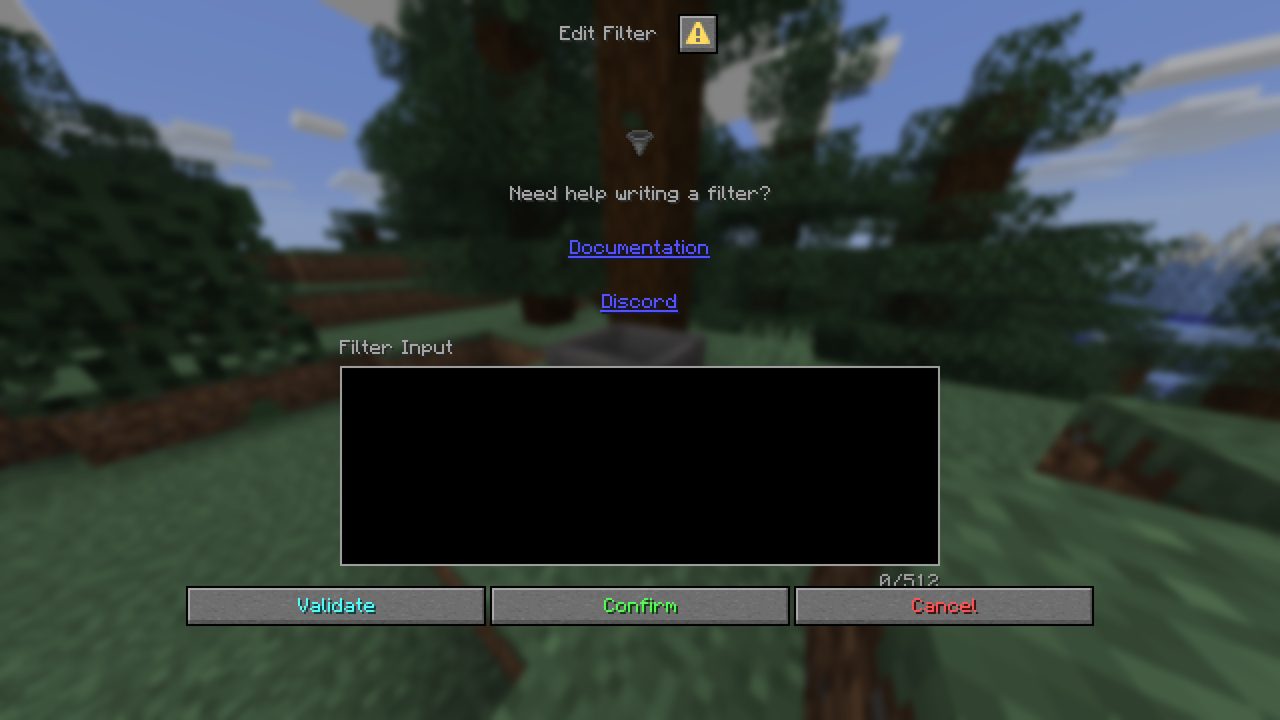
- 2Write the filter
Type it into the Filter Input box, using the syntax and functions below (up to 512 characters).
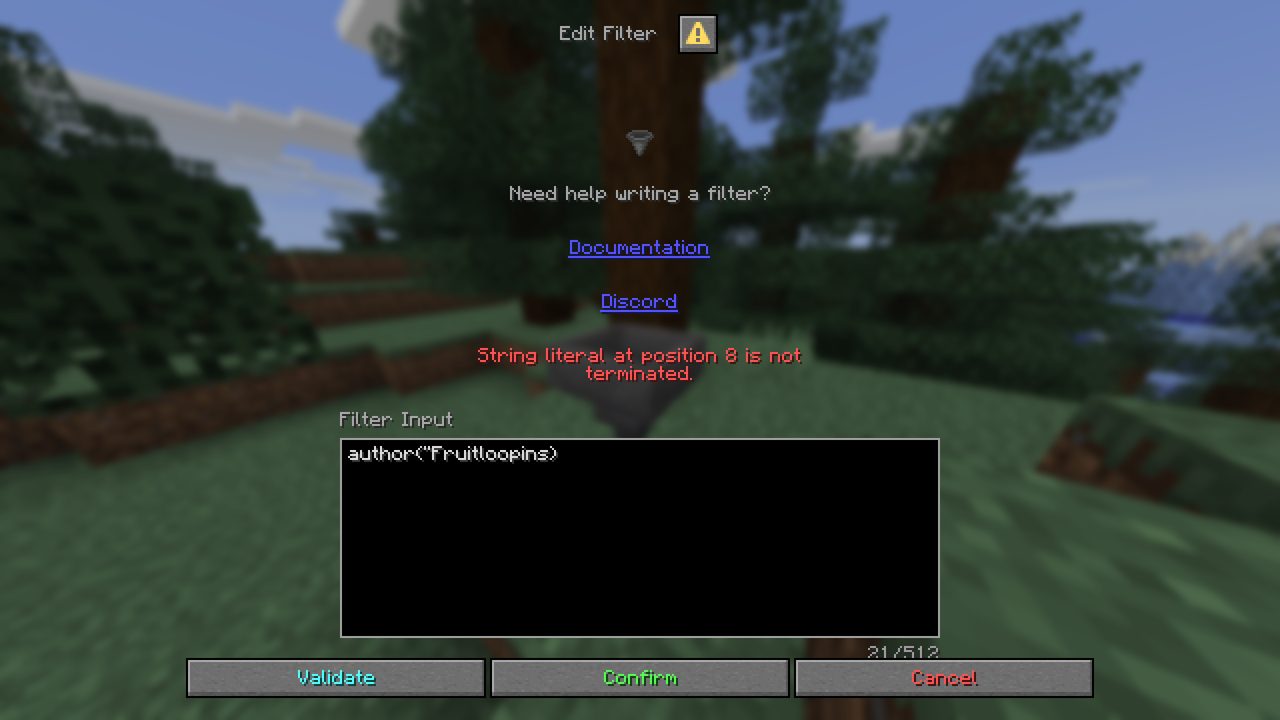
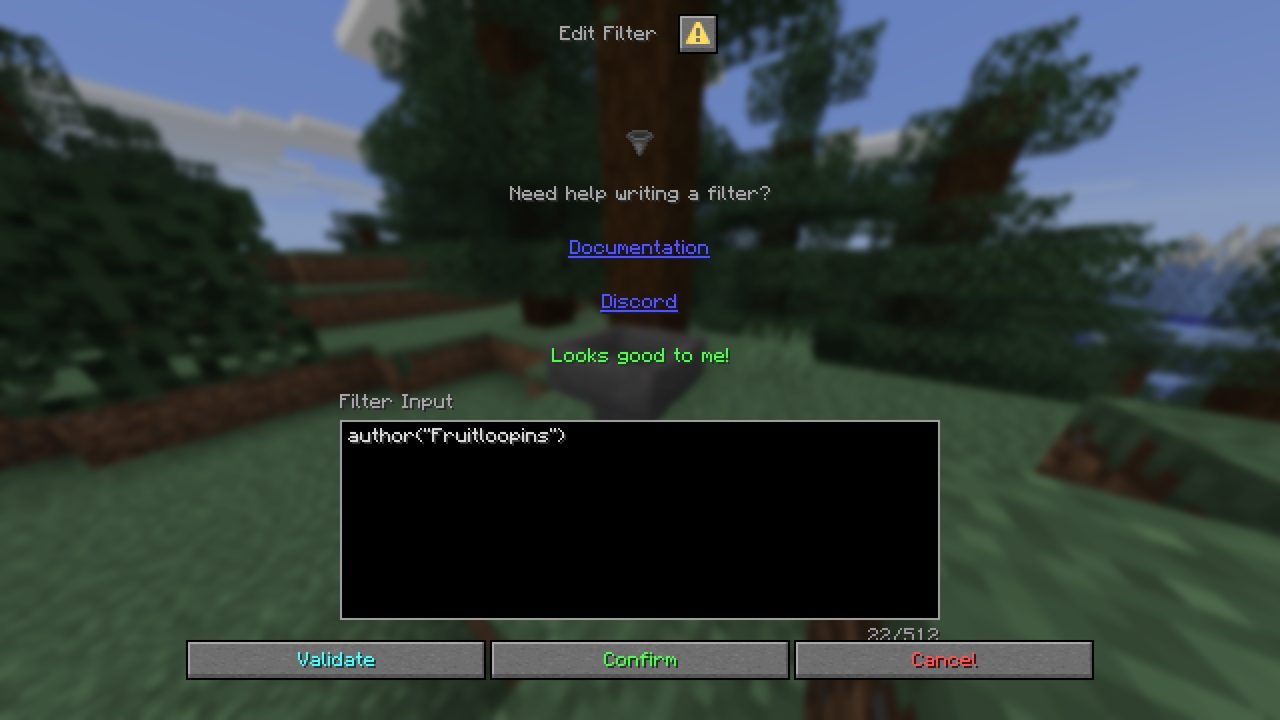
- 3Check it
Press the aqua Validate button. Any mistake shows up in red above the box, with where it is.

- 4Save it
Press Confirm. The hopper's name becomes your filter, in gold, and from now on it only takes items that pass.
Good to know
- Removing a filterOpen the editor, clear the box and press Confirm. The hopper takes anything again.
- Gold names are filtersA hopper's filter is its gold name. Breaking and placing the hopper keeps it, like any named block.
- Anvils don't make filtersNaming a hopper in an anvil just names it, so you can still label hoppers normally. Only the editor makes filters.
- A broken filter takes nothingIf a filter has a mistake in it, the hopper accepts no items at all until it's fixed, so nothing ends up in the wrong place.
- Old item locksHoppers locked with the old left-click lock become filters like
type(diamond)(plus the potion, enchantment or name they were locked to). Left-clicking a hopper with an item doesn't lock it any more. - Need help?Ask in our Discord: the editor links here and to it.
Syntax
A filter is one or more functions (checks on the item), joined with and, or and not.
| Symbol | Meaning | Example |
|---|---|---|
function(arguments) | A check that an item has to pass. | type(diamond), name("Secret Item") |
& | Both sides must be true. | type(diamond_sword) & ench(sharpness) |
| | Either side can be true. | type(gold_ingot) | thrower(Fruitloopins) |
! | Not: flips the check after it. | !enchanted() |
( ) | Groups checks so they're worked out together first. | type(gold_ingot) | (author(Fruitloopins) & generation(copy_of_copy)) |
" " | Wraps an argument so spaces and symbols are kept. It's good practice to quote every argument. | ench("sharpness >= 4") |
Comparators
Some functions take comparisons instead of names, to set limits. For example durability(>=75, <=90) means the item has between 75% and 90% of its durability left.
| Comparator | Means |
|---|---|
= | equal to |
!= | not equal to (must be in quotes) |
> | more than |
< | less than |
>= | at least |
<= | at most |
Examples
| What you want | Filter |
|---|---|
| Only diamonds | type(diamond) |
| Any ore block or raw ore | type_ends_with(_ore) | type_starts_with(raw_) |
| All wool, any colour | tag(wool) |
| Food, but not rotten flesh | edible() & !type(rotten_flesh) |
| Fire resistance potions (any length) | type(potion) & effect(fire_resistance) |
| Sharpness IV or better swords | type_ends_with(_sword) & ench("sharpness >= 4") |
| Worn-out tools to repair (under 25% left) | damaged() & durability(<25) |
| Things that can go in a furnace as fuel | fuel() |
| Only items your town's players drop in | town(YourTown) |
| Everything except cobblestone | !type(cobblestone) |
Meridian's own items
Our custom items look like ordinary items to the functions below, so they have their own function: custom(name).
| Filter | Takes |
|---|---|
custom(debuff_resistance) | Potions of Debuff Resistance: drinkable, splash and lingering, and Debuff Resistance arrows. Add & type(splash_potion) for one kind only. |
custom(wrench) | Wrenches, but not ordinary sticks. |
custom(debuff_resistance, wrench) | Either of them. |
type(potion) & !custom(debuff_resistance) | Every drinkable potion except Debuff Resistance. |
Functions
Every check you can use. Names in small print are shorter aliases that work the same way. Arguments are separated by commas: functions that take a list match if the item fits any of them, except where it says all. In game, /hopplet function <name> explains any of them.
| Function | Takes | True when… | Example |
|---|---|---|---|
amountsize | comparator | Evaluates to true if an item stack's size matches all the specified amounts. | amount(>32, <48) |
armor_trim_materialtrim_material | trim material | Evaluates to true if an item's armor trim material matches one of the specified materials. | trim_material(gold) |
armor_trim_patterntrim_pattern | trim pattern | Evaluates to true if an item's armor trim pattern matches one of the specified patterns. | trim_pattern(silence) |
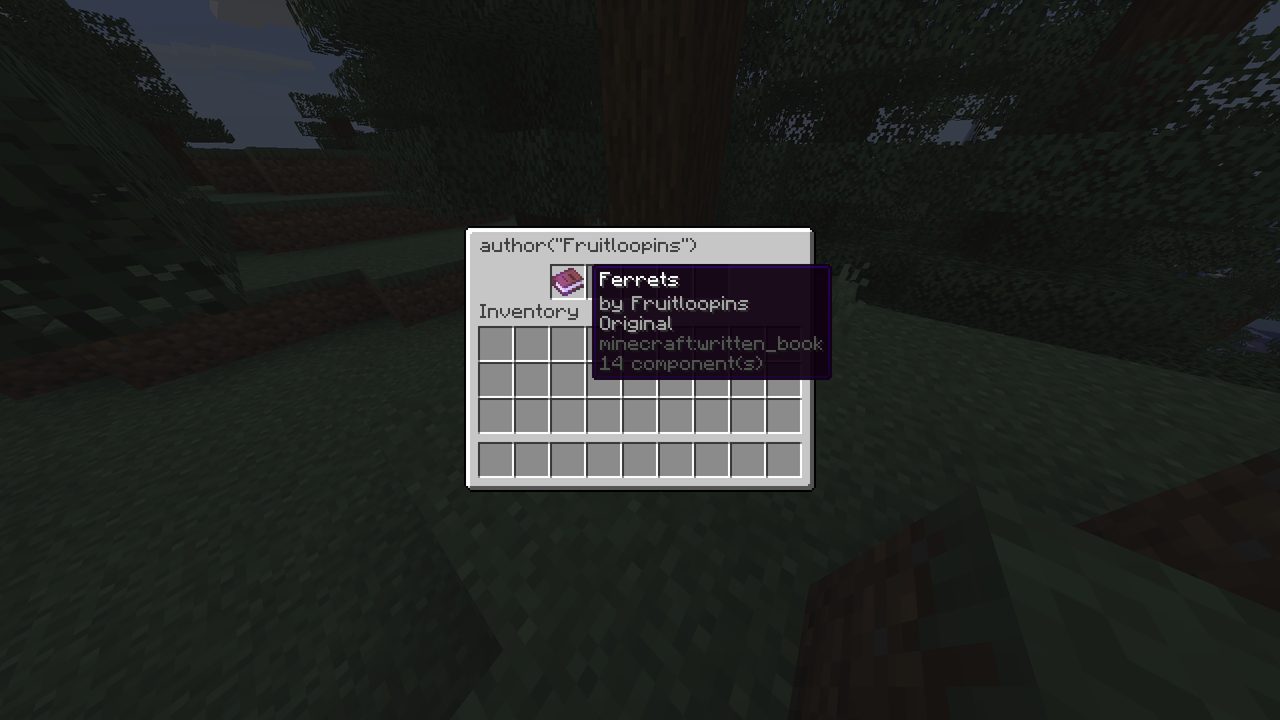
book_authorauthor | username | Evaluates to true if a book's author matches one of the specified strings. | author(Fruitloopins) |
book_generationgeneration | generation | Evaluates to true if a book's generation matches one of the specified generations. | generation(copy_of_copy) |
book_titletitle | string | Evaluates to true if a book's title matches one of the specified titles. | title("Special Book") |
display_name_containsname_contains | string | Evaluates to true if an item's display name contains all the specified strings. | name_contains(stone, moss) |
display_name_ends_withname_ends_with | string | Evaluates to true if an item's display name ends with one of the specified strings. | name_ends_with(map) |
display_namename | string | Evaluates to true if an item's display name matches one of the specified strings. | name("Super Secret Access Key") |
display_name_starts_withname_starts_with | string | Evaluates to true if an item's display name starts with one of the specified strings. | name_starts_with(mossy, diamond) |
durabilitydur | comparator, string | Evaluates to true if an item matches all the specified damage amounts as a percentage. | durability(max, undamaged), durability(>=90) |
enchantmentench, enchant | enchantment | Evaluates to true if an item has all the specified enchantments. | ench("sharpness >= 4", fire_aspect) |
has_armor_trimis_trimmed, trimmed | – | Evaluates to true if an item has an armor trim applied. | trimmed() |
has_custom_nameis_renamed, renamed | – | Evaluates to true if an item has been renamed. | renamed() |
has_lorelored | – | Evaluates to true if an item has lore. | lored() |
is_compostablecompostable | – | Evaluates to true if an item can be composted. | compostable() |
is_damageddamaged | – | Evaluates to true if an item is damaged. | damaged() |
is_edibleedible, is_food, food | – | Evaluates to true if an item is edible. | edible() |
is_enchantedenchanted | – | Evaluates to true if an item is enchanted. | enchanted() |
is_fuelfuel | – | Evaluates to true if an item is usable as fuel in a furnace. | fuel() |
is_repairablerepairable | – | Evaluates to true if an item is repairable in an anvil. | repairable() |
is_smeltablesmeltable | – | Evaluates to true if an item is smeltable in a furnace. | smeltable() |
is_stackablestackable, can_stack | – | Evaluates to true if an item's type is stackable. | stackable() |
is_unbreakableunbreakable | – | Evaluates to true if an item is unbreakable. | unbreakable() |
lore_contains | string | Evaluates to true if an item's lore contains all the specified strings. | lore_contains("3 levels") |
lore_ends_with | string | Evaluates to true if an item's lore ends with one of the specified strings. | lore_ends_with("(33 experience)") |
lore | string | Evaluates to true if an item's lore matches ones of the specified strings. | lore("3 levels (33 experience)") |
lore_starts_with | string | Evaluates to true if an item's lore starts with one of the specified strings. | lore_starts_with("3 levels") |
map_idmap | comparator | Evaluates to true if a map's ID matches all the specified comparators. | map_id(>=5, <=15, 1337) |
material_containstype_contains | string | Evaluates to true if an item's material name contains all the specified strings. | type_contains(stone) |
material_ends_withtype_ends_with | string | Evaluates to true if an item's material name ends with one of the specified strings. | type_ends_with(e) |
materialtype | material | Evaluates to true if an item is of any specified material. | type(cobblestone, mossy_cobblestone) |
material_starts_withtype_starts_with | string | Evaluates to true if an item's material name starts with one of the specified strings. | type_starts_with(diamond, iron) |
potion_durationduration, pot_dur | comparator, string | Evaluates to true if a potion has all the specified durations in ticks. | duration(>=3600), duration(infinite, unlimited), duration(3600) |
potion_effecteffect, pot_eff, eff | potion effect | Evaluates to true if an item has all the specified potion effects. | effect("speed = 2", invisibility, instant_health>=1) |
potion_typepot_type | potion type | Evaluates to true if a potion's base type matches one of the specified potion types. | pot_type(mundane) |
source_inventory_typesource_type, source | inventory type | Evaluates to true if an item's source is of one of the specified types. | source(barrel) |
rarity | item rarity | Evaluates to true if an item matches one of the specified item rarities. | rarity(common) |
skull_ownerhead_owner | username, uuid | Evaluates to true if a head's owner matches one of the specified UUIDs or usernames. | head_owner(Fruitloopins) |
skull_texturehead_texture | base64 | Evaluates to true if a head's texture matches one of the specified Base64 strings. | head_texture(eyJ0ZXh0dXJlcyI6eyJTS0lOIjp7InVybCI6Imh0dHA6Ly90ZXh0dXJlcy5taW5lY3JhZnQubmV0L3RleHR1cmUvMjA4NGVmNjBjNjUwYjRmMjZiMDZiMDUxOTI4MWU2YzQxNjA5YTVjZDllY2JkNjk3YjljZjE2ZWViZjc4NWI0OCJ9fX0=) |
smeltable_by | inventory type | Evaluates to true if an item can be smelted in one of the specified furnace types. | smeltable_by(smoker, blast_furnace) |
stored_experiencestored_exp, stored_xp, experience, exp, xp | comparator | Evaluates to true if an experience bottle's stored experience matches all the specified amounts. (Uses bottlet, which Meridian has.) | xp(>=1395) |
tagtagged | item tag), block tag) | Evaluates to true if an item has one of the specified tags. | tag(wool), tag(beds) |
throwerthrown_by | username, uuid | Evaluates to true if an item was thrown by one of the specified UUIDs or usernames. | thrower(Fruitloopins, 12BarBruise), thrown_by(fed0ec4a-f1ad-4b97-9443-876391668b34) |
thrower_nationthrower_nation, nation | nation | Evaluates to true if an item was thrown by a member of one of the specified nations. (Uses towny, which Meridian has.) | nation(Australia) |
thrower__townthrower_town, town | town | Evaluates to true if an item was thrown by a member of one of the specified towns. (Uses towny, which Meridian has.) | town(Melbourne) |
How an item gets in
| Step | What happens |
|---|---|
| 1. The item tries to get in | Either it's moved in from a container or hopper above or beside it, or it's lying on top of the hopper as a dropped item. |
| 2. The filter is read | The hopper's gold name is turned into a filter (and remembered while the chunk is loaded). If the filter has a mistake in it, the hopper takes nothing until you fix it. |
| 3. Filters go first | A hopper without a filter normally takes anything. But if a filtered hopper under or beside the same container is looking for exactly that item and has room, the item goes to the filtered hopper instead. So a row of filter hoppers under a chest catches what it's meant to, rather than an unfiltered hopper grabbing it first. |
| 4. The item is checked | No filter: it goes in. A filter: it goes in only if it passes. If the first item in a container doesn't pass, the hopper takes the next one that does, so one wrong item can't clog a sorting line. |
Commands
| Command | What it does |
|---|---|
Sneak + right-click | With an empty main hand, on a hopper or hopper minecart: open the filter editor. |
/hopplet edit | Open the editor for the hopper or hopper minecart you're looking at. |
/hopplet function <name> | Show what a function does and how to use it, e.g. /hopplet function ench. |